Warehouse setup
Maintain warehouse locations, default warehouse context, active status, and operational use before stock is moved.



Codefy ERP Module
Track warehouses, stock balances, movements, opening imports, valuation, and fulfillment readiness beside the orders and products that create demand.
Operating Chain
Inventory work needs warehouse locations, product records, opening balances, movement history, receipts, issues, valuation, and order context to stay aligned.
Step 1
Create warehouse
Step 2
Load opening stock
Step 3
Receive goods
Step 4
Reserve stock
Step 5
Issue items
Step 6
Review value
Step 7
Audit movement
Inventory Scope
Maintain warehouse locations, default warehouse context, active status, and operational use before stock is moved.
Review product quantities, reserved stock, average cost, inventory value, and stock by warehouse where permissions allow.
Track receipts, issues, adjustments, transfers, opening balances, and sales-order inventory movement history.
Connect stock context to sales orders, purchase orders, supplier references, and goods fulfillment review.
Smart Logic
The module separates operational stock visibility from cost and valuation fields, so warehouse users can act on quantities while finance-sensitive data remains capability controlled.
Keep warehouse names, codes, status, default flags, and location context available for stock and fulfillment work.
Review product balances by warehouse with quantity, reserved quantity, average cost, and inventory value protected by capabilities.
Track receipts, issues, adjustments, transfers, opening stock imports, source references, and movement audit context.
Use stock context before sales order fulfillment so teams can see whether goods are available before billing or delivery continues.
Keep supplier references, supplier price context, and purchase receipt information close to inventory movement records.
Support inventory movement, stock, and valuation reports while protecting cost fields from users without finance permissions.
Screens
The page should show both warehouse-level stock control and product/order context, because fulfillment problems usually sit between those two places.
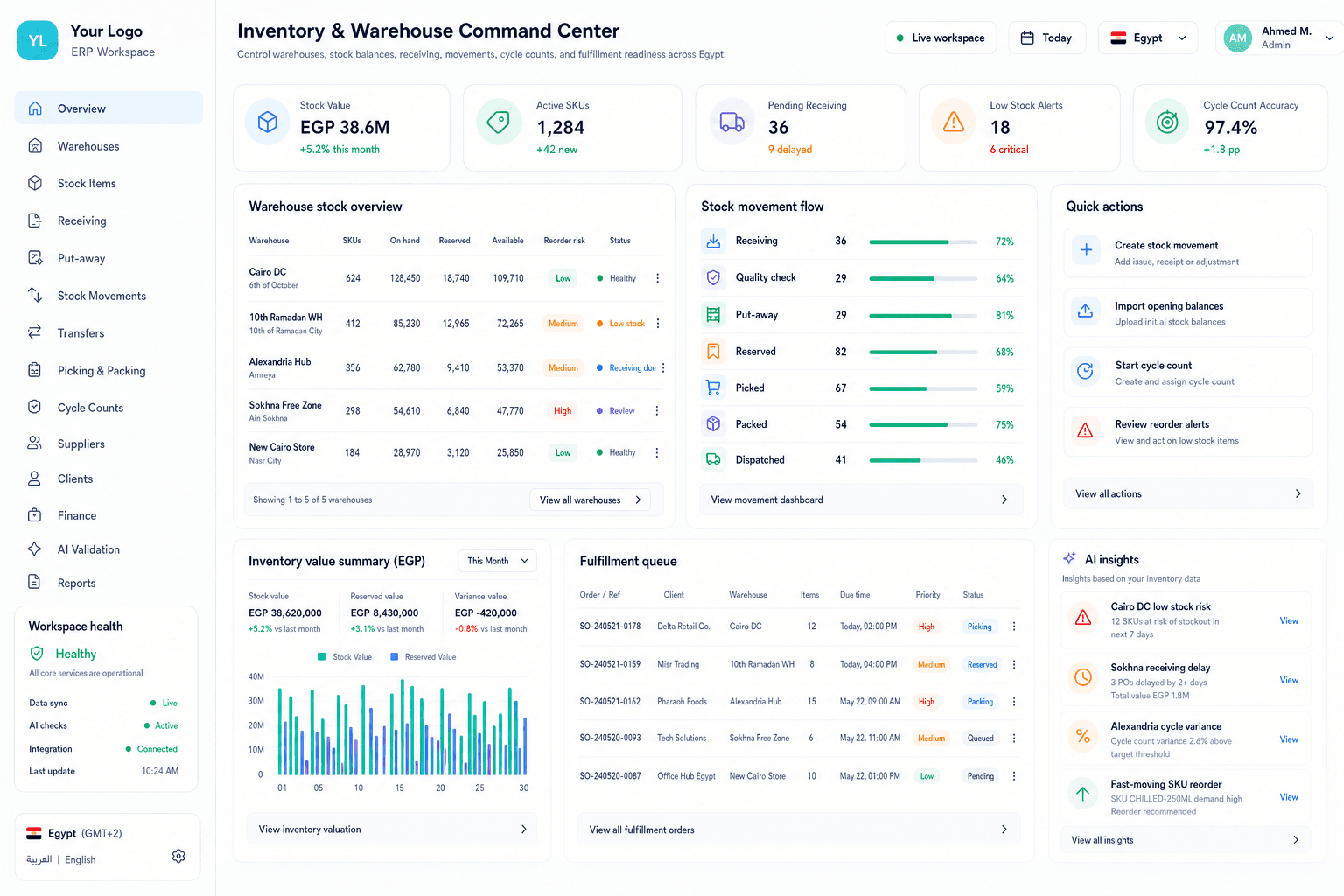
Warehouse command center
Teams can review warehouse setup, product stock, movement history, opening imports, and operational stock signals in one place.
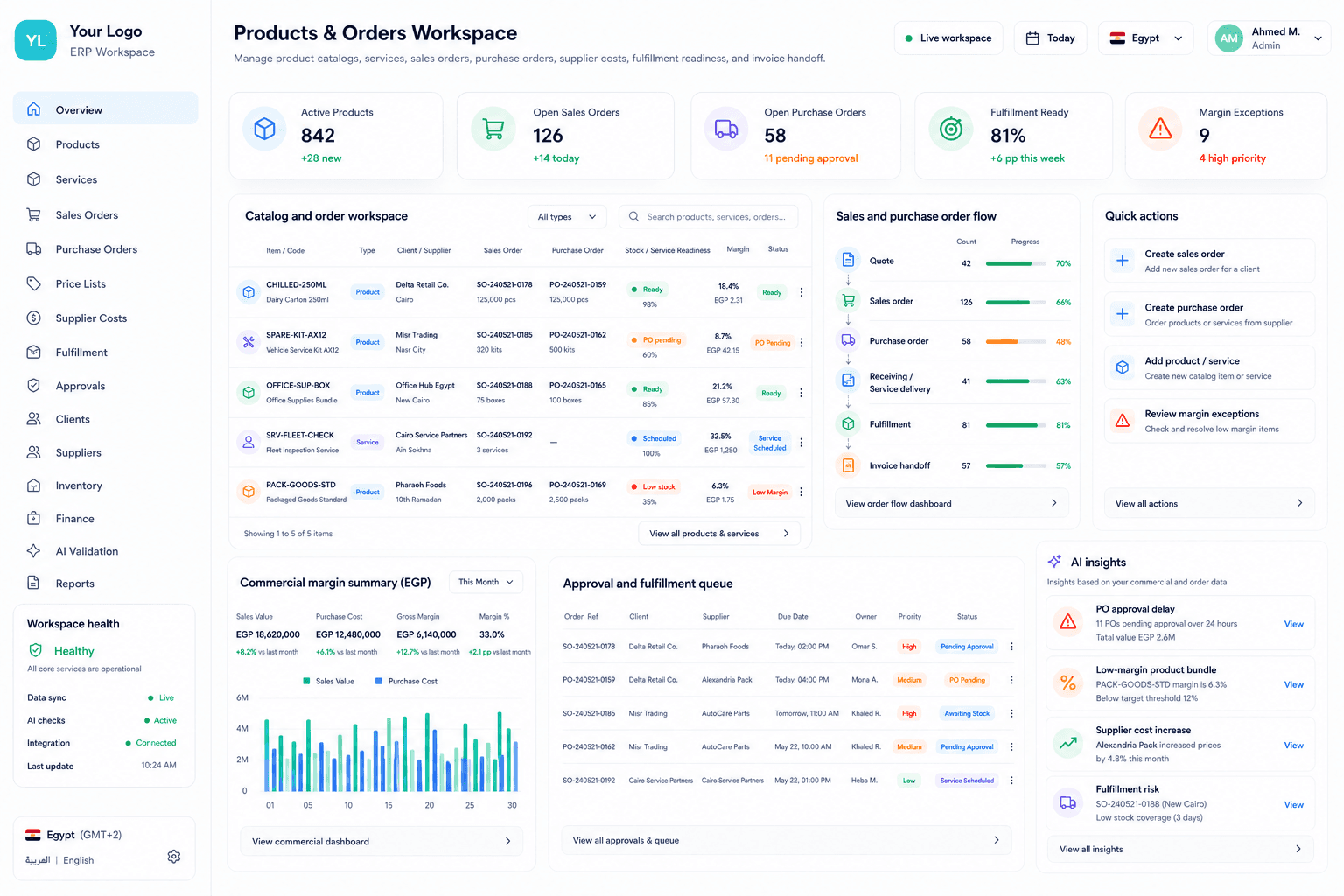
Products workspace
Product records carry stock, price, supplier, visibility, and readiness information before they are used in commercial work.
Commercial Value
Keep warehouses, stock balances, movements, imports, and fulfillment checks connected.
Warehouse users can see what they need to move stock without broad finance access.
Sales and operations can check fulfillment readiness before promising or billing goods work.
Finance can review cost, value, and inventory movement basis through protected fields.
Management can see inventory pressure by warehouse, product, movement, and period.
We can review your warehouse setup, stock balances, inventory movement history, product catalog, fulfillment flow, and cost visibility boundaries, then map the right starting point.