Tenant staff
Create internal staff records, employment context, role details, manager links, mobile access state, and safe system-user linkage for the tenant workforce.



Codefy ERP Module
Manage tenant staff records, attendance rules, payroll context, vacations, loans, assets, and mobile field actions from one controlled ERP workflow.
Operating Chain
HR work breaks when employee records, attendance rules, approvals, payroll context, and mobile field actions live in different places. Codefy ERP keeps the staff workflow connected while protecting sensitive access.
Step 1
Create staff records
Step 2
Link access safely
Step 3
Assign attendance rules
Step 4
Capture attendance
Step 5
Manage vacations
Step 6
Review payroll context
Step 7
Protect sensitive fields
Workforce Controls
Create internal staff records, employment context, role details, manager links, mobile access state, and safe system-user linkage for the tenant workforce.
Control attendance locations, geofence radius, office and site rules, working-day context, exception states, and approval-ready attendance records.
Support supervisor and manager mobile attendance workflows with GPS readiness, biometric verification, offline handling, and clear rejection reasons.
Keep salary, loans, adjustments, assets, entitlements, payment details, and payroll readiness connected without exposing sensitive HR data to the wrong users.
Smart Logic
Codefy ERP treats HR data as an operating foundation: staff records, attendance eligibility, location rules, mobile access, vacation balances, loans, assets, and payroll-sensitive fields are validated before they become reporting or payroll problems.
Manage internal workforce profiles separately from client passenger records, so HR, supervisors, finance, and admins operate on the right employee category from the start.
Define where staff can check in, how location validation behaves, and which office, client-site, warehouse, or operational location rules apply.
Give supervisors and managers a field-ready attendance surface with GPS checks, biometric verification, offline queue handling, diagnostics, and server-side rejection reasons.
Keep leave requests, balances, approvals, and staff availability close to the HR record so managers and finance can see the same operational truth.
Connect employee payroll profiles, salary context, payment method, entitlements, deductions, components, and salary changes with permission-aware visibility.
Track operational HR obligations such as staff loans, assigned assets, recurring adjustments, settlements, and repayment context without separating them from payroll review.
Screens
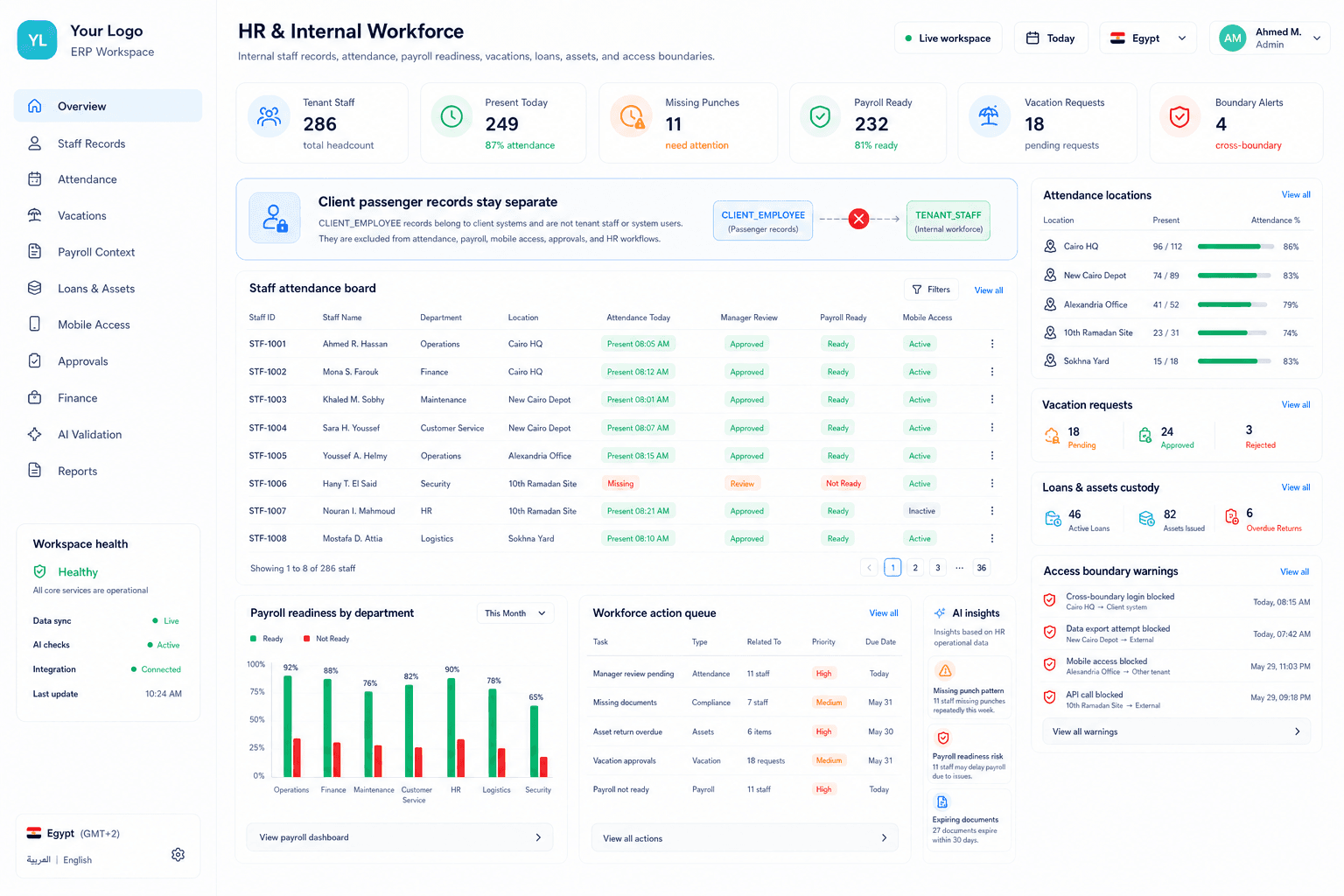
The HR module needs one broad web workspace for records, attendance setup, payroll context, vacations, loans, and assets, plus one mobile attendance surface for office and site-visit proof.
Web HR workspace
A web workspace for staff profiles, attendance signals, payroll context, vacations, loans, assets, and management review.
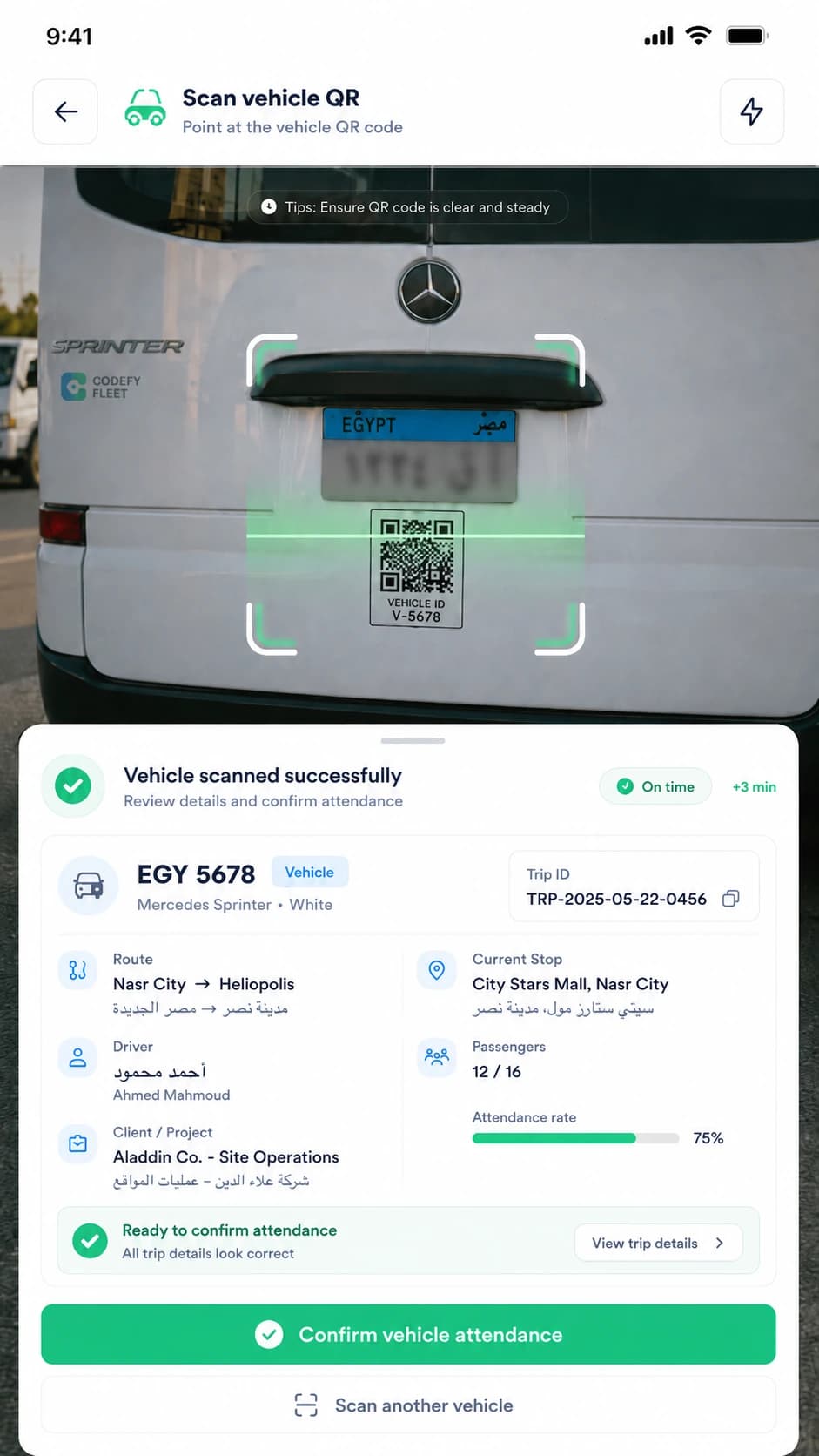
Staff mobile attendance
Staff can confirm office and site-visit attendance from a focused mobile surface with geofence readiness, biometric validation, offline handling, and clear approval feedback.
Commercial Value
The same internal workforce records support daily attendance, leave control, payroll review, and management visibility without mixing user access or passenger records.
HR teams manage internal staff records, attendance setup, vacations, loans, assets, and payroll context from one controlled workflow.
Operations managers see attendance and staff availability signals without gaining unnecessary access to salary or payroll-sensitive fields.
Finance teams review cleaner payroll inputs because attendance, leave, loans, assets, and adjustments stay connected to the staff profile.
Admins protect the business by keeping tenant staff, system users, and client passenger records in separate access boundaries.
We can review your current staff records, attendance locations, vacation workflow, payroll context, mobile attendance needs, and access boundaries, then map the right Codefy ERP starting point.