Codefy Hub

Codefy ERP Module

Employee and student transportation, controlled end to end

Plan demand, generate ready trips, track field execution, and give companies, schools, and buyers controlled visibility from one connected transportation workflow.

EmployeesStudentsShuttleOn-demand
Light-mode Codefy ERP employee and student transportation live tracking screen showing active Cairo trips, route lines, vehicle markers, trip cards, and operational counters.

Operating Chain

One connected flow from demand planning to billing review

Employee and student transportation is not just dispatch. The value is in controlling the full chain before, during, and after every trip.

Step 1

Plan demand

Step 2

Assign resources

Step 3

Validate readiness

Step 4

Generate trips

Step 5

Execute in field

Step 6

Confirm attendance

Step 7

Review billing

Transport Modes

Built for the ways employee and student transportation actually runs

Fixed lines

Operate recurring employee routes with planned stops, directions, schedules, working days, shifts, seat assignments, and planned passenger counts.


Shuttle services

Run repeated shuttle movements between controlled points such as offices, plants, compounds, depots, campuses, and client sites.

On-demand trips

Let eligible client employees request trips while the system enforces schedule eligibility, booking cutoffs, demand freeze rules, capacity, and pricing readiness.

Ad-hoc and mixed operations

Support operational exceptions, backup resources, mixed supplier and owned-fleet operations, and special movements without losing trip proof or financial traceability.

Smart Logic

The important logic sits before the trip reaches the road

Codefy ERP treats planning validation as part of the transportation operation, so incomplete schedules, missing assignments, pricing gaps, GPS readiness, and field exceptions are visible before they become service problems.

Employee and Student Transportation Planning Engine

Build the operational plan around routes, stops, schedules, working days, directions, shifts, client employees, and seat assignments, while keeping tenant staff and client passenger records separate.

Direction-aware schedules for home-to-office, office-to-home, and round-trip patterns
Working-day and shift compatibility for recurring operations
Client employee transportation eligibility and assignment context
Passenger planning before trip generation

Schedule-Level Resource Assignment

Assign who operates each route schedule with validity dates, working days, supplier or owned-fleet context, driver, vehicle, and commercial readiness.

Canonical schedule assignments for generated trips
Supplier and owned-fleet operation support
Overlap detection and assignment coverage checks
Driver, vehicle, supplier, and price readiness before execution

Smart Trip Generation and Readiness Validation

Generate trips from clean operational plans instead of pushing incomplete schedules into the field. The system checks missing assignments, price gaps, supplier cost gaps, inactive records, GPS readiness, geofence setup, and internal fleet cost readiness before trip creation.

Single, bulk, and streaming generation workflows
Clean-only or warning-tolerant generation modes
Holiday-aware planning and working-day filtering
Validation logs for operations and finance review

On-Demand Employee Transport Control

Control employee requests with eligibility, schedule type validation, booking cutoff policies, frozen demand snapshots, capacity checks, vehicle type matching, duplicate booking prevention, and approval-aware cancellation rules.

On-demand entitlement per client employee
Previous-day, same-day, and hours-before cutoff logic
Confirmed bookings grouped into executable trips
Revenue, supplier cost, and internal cost resolution during generation

Web Operations Command Center

Give operations teams a web workspace for live trips, trip history, fleet tracking, incidents, assignments, route schedules, passenger context, and planned-vs-actual follow-up.

Live GPS status and selected vehicle context
Trip history with filtering and export paths
Incident and exception visibility
Assignment coverage and generation readiness workflows

Driver App Execution

Drivers work from a trip-first mobile surface with start, stop, arrival, departure, navigation, geofence context, offline readiness, and trip completion states.

Trip status from not started to completed
Stop sequence, ETA, and waypoint context
Navigation actions from assigned trip stops
GPS disabled and offline state handling

Supervisor App Field Control

Supervisors manage field reality: QR confirmations, bulk scans, route trips, remaining trips, backup vehicle or driver assignment, petty cash, penalties, and operational escalations.

QR attendance and bulk vehicle scanning
Backup driver, vehicle, and supplier handling
Penalty and petty-cash workflows
Manager and executive mobile visibility

Employee App Passenger Experience

Client employees get a focused passenger app for upcoming trips, history, attendance confirmation, driver and vehicle details, complaints, and trip feedback.

Upcoming and historical assigned trips
Attendance or trip confirmation
Driver phone and vehicle plate visibility where allowed
Complaints, reviews, and service feedback

Buyer / Client Portal Visibility

Transport buyers can manage the service without chasing updates across suppliers. The portal gives controlled visibility into projects, routes, employees, seat assignments, on-demand activity, tracking, incidents, invoices, and pricing requests.

Project, route, schedule, and employee visibility
Trips review, fleet tracking, and incident context
Invoice approval and overdue visibility
Pricing request and service validation workflows

Supplier, Cost, and Finance Connection

Tie operational movement to commercial control with supplier assignments, pricing rules, planned payables, internal fleet costs, payment runs, invoice review, and project profitability reporting.

Supplier price rule application and schedule assignment pricing
Planned supplier cost and payable visibility
Owned-fleet driver and vehicle cost context
Cost variance, margin, and profitability reporting

Operational Intelligence and Reporting

Turn transportation activity into management visibility across attendance, no-shows, backup rate, supplier performance, utilization, anomalies, planned-vs-actual execution, and financial outcomes.

Executive, operations, assignment, and supplier reports
Attendance and no-show analysis
Fleet utilization and backup-rate visibility
AI-assisted summaries over approved operational datasets

Screens

Show the operation across web, field apps, passengers, and buyers

Employee transportation spans office users, drivers, supervisors, client employees, and buyers, so the module page shows the operation across every surface that affects service delivery.

Dark-mode Codefy ERP transportation command center showing active Cairo route tracking, vehicle markers, trip cards, and fleet counters.

Web operations

Transportation command center

A web workspace for route schedules, live trips, assignment readiness, fleet tracking, incidents, and operational review.
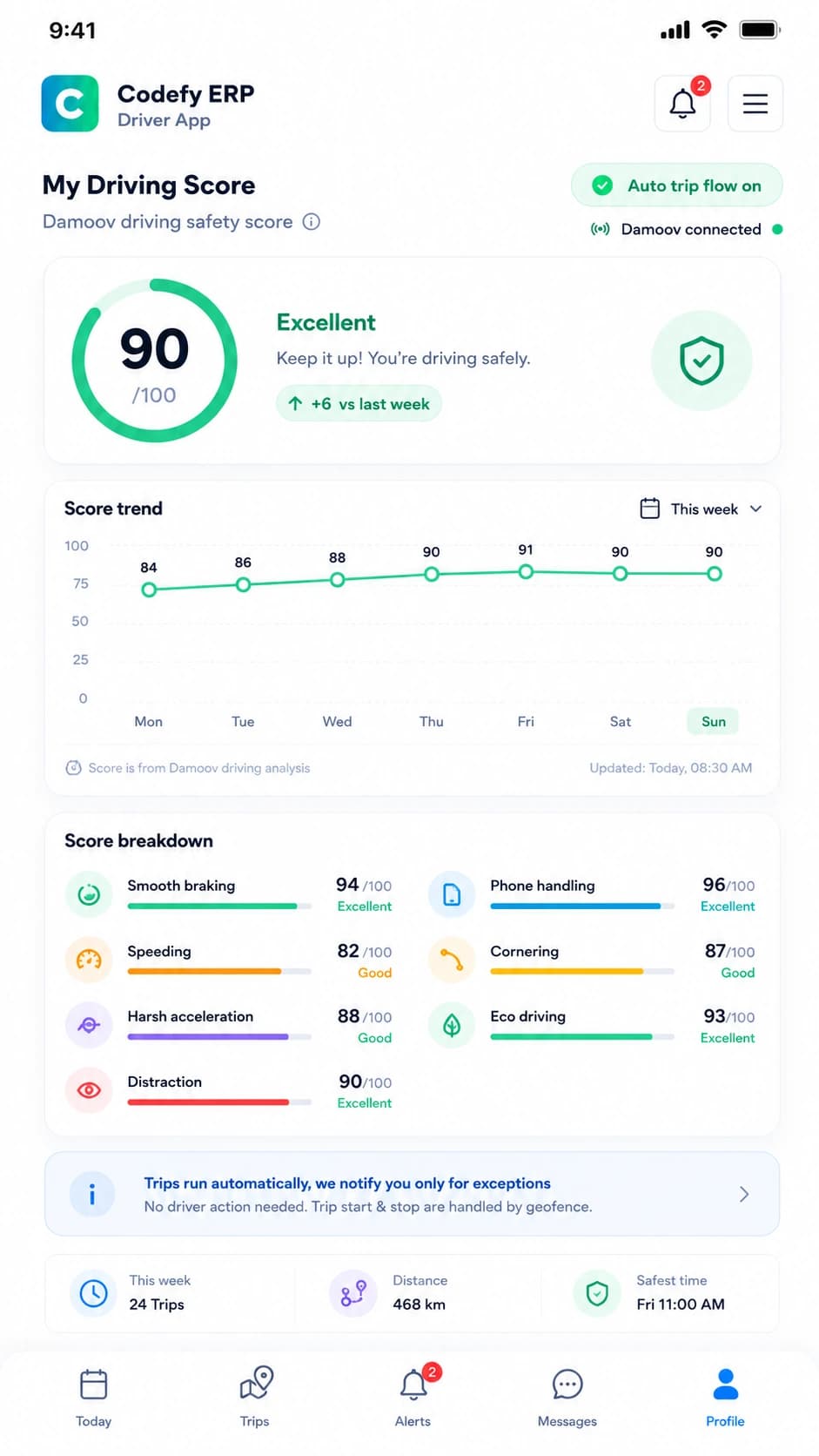
Codefy ERP driver mobile app trip dashboard.

Driver app

Trip execution in the field

Drivers see assigned trips, route stops, geofence context, navigation actions, and tracking readiness from the mobile app.
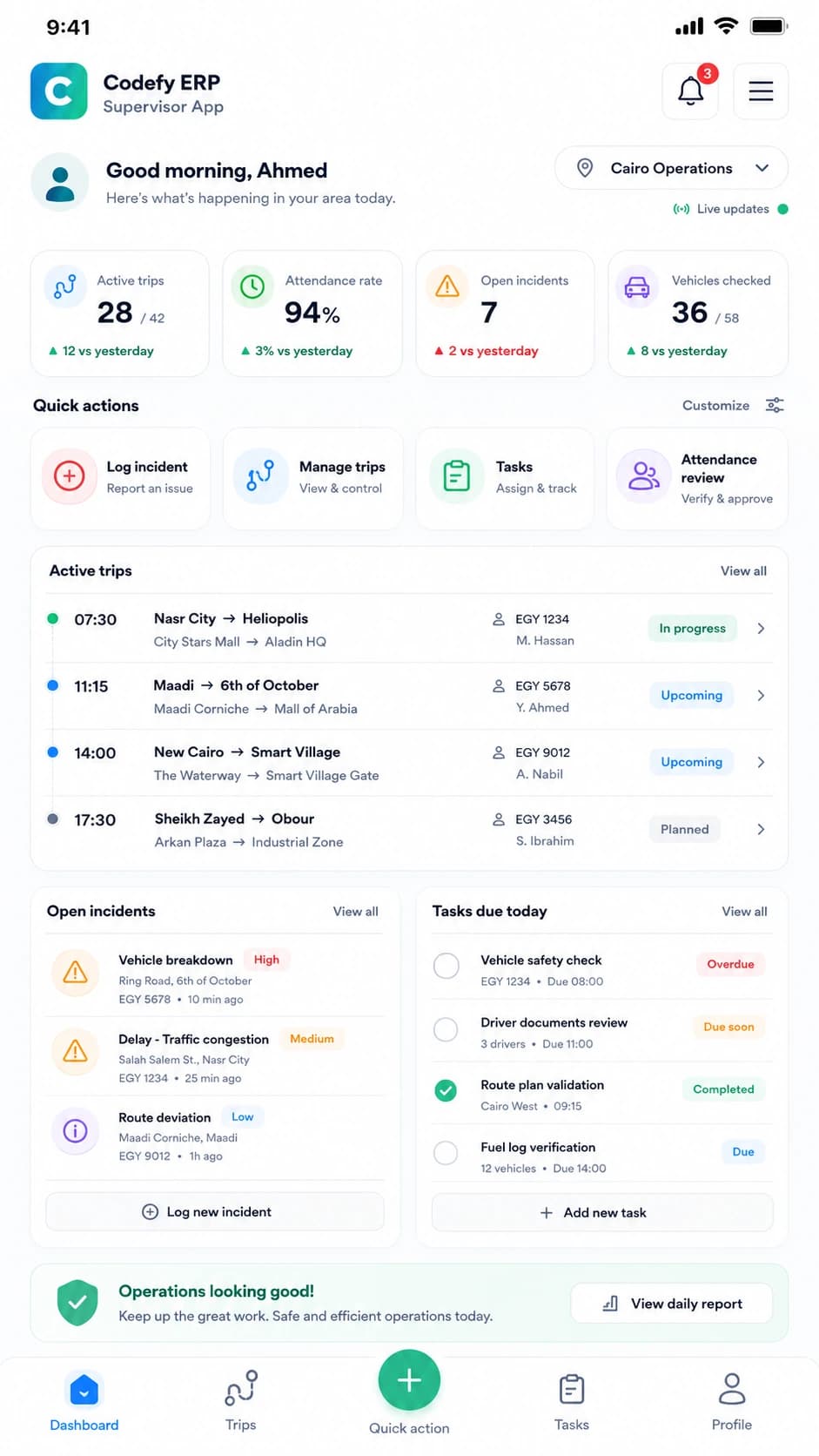
Codefy ERP supervisor mobile app trip actions.

Supervisor app

QR, backup, and field control

Supervisors confirm attendance, scan vehicles, manage route trips, assign backups, and handle field exceptions.
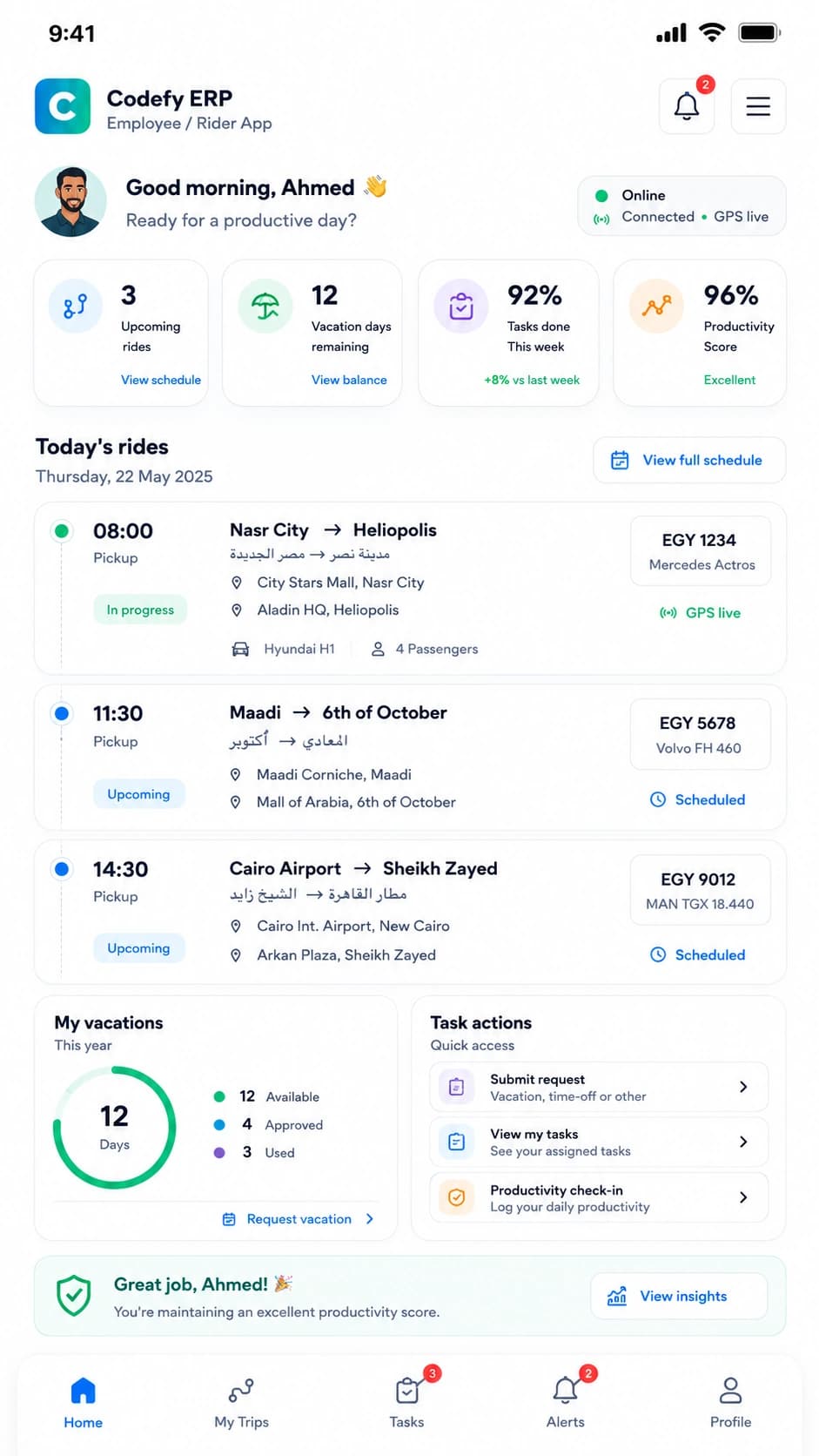
Codefy ERP employee mobile app home screen for passenger trips.

Employee app

Passenger visibility and feedback

Client employees can review upcoming trips, confirm attendance, see driver and vehicle context, and submit feedback.
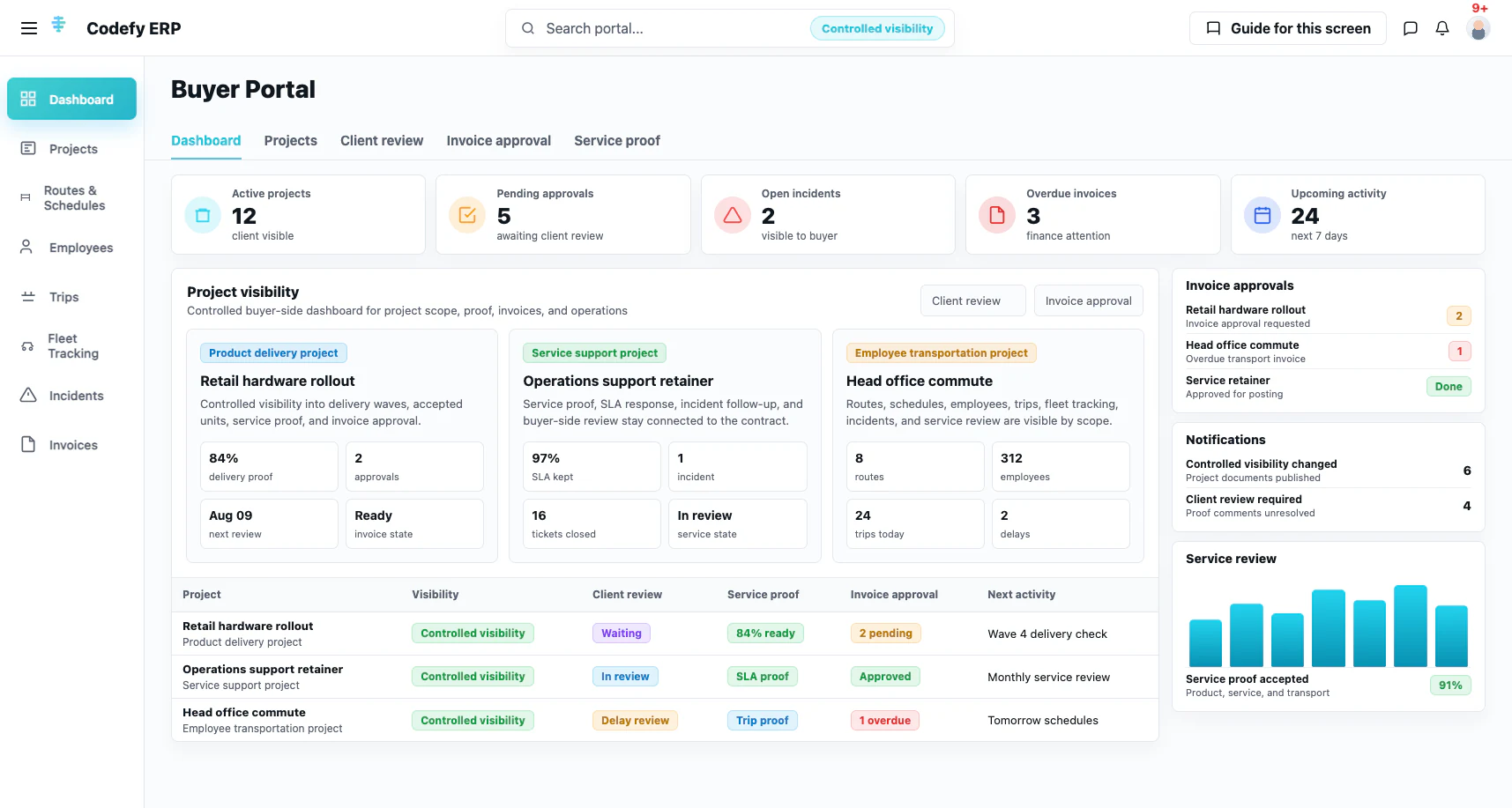
Codefy ERP client and supplier portal dashboard preview.

Buyer portal

Controlled client-side service visibility

Transport buyers can follow projects, employees, routes, trips, tracking, incidents, invoices, and pricing requests from a controlled portal.

Commercial Value

A module that understands both sides of the transportation relationship

Control for providers. Visibility for buyers.

The same transportation records support sales confidence, daily operations, and commercial review.

1

Providers control route planning, assignments, dispatch, field execution, supplier settlement, and proof in one workflow.

2

Buyers manage employee transportation across projects, routes, suppliers, incidents, invoices, and live service visibility.

3

Operations teams catch missing data before trips are generated, not after drivers and passengers are already waiting.

4

Finance teams get cleaner links between planned operations, actual trips, supplier costs, client invoices, and margin.

Start with the employee transportation workflow that creates the most control first

We can review your current routes, suppliers, buyers, schedules, passenger flows, mobile apps, and reporting gaps, then map the right Codefy ERP starting point.
