Relationship CRM
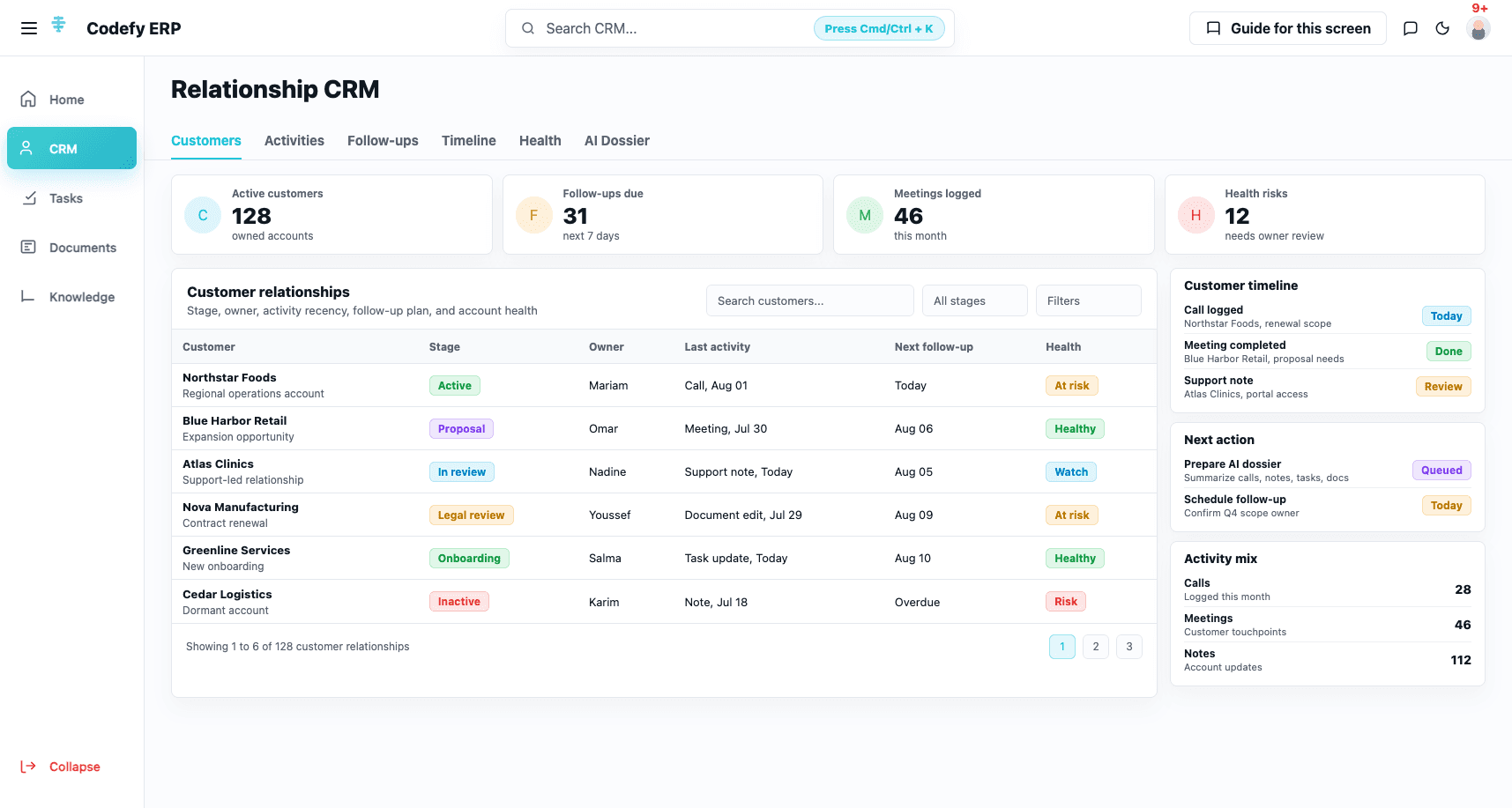
Manage customer records, contacts, activities, calls, meetings, notes, account ownership, customer health, pipeline context, quotes, and relationship timelines.



Codefy ERP Module
Keep CRM activity, Flow tasks, documents, knowledge, and content workspaces connected to the operational work they support.
Operating Layer
Operational records create work: follow-ups, approvals, account notes, tasks, documents, sales materials, and internal knowledge. This module keeps that work connected instead of scattered.
Step 1
Capture relationship context
Step 2
Plan follow-ups
Step 3
Assign work
Step 4
Track progress
Step 5
Document outcomes
Step 6
Reuse knowledge
Step 7
Review productivity
Work Modes
Manage customer records, contacts, activities, calls, meetings, notes, account ownership, customer health, pipeline context, quotes, and relationship timelines.
Run shared task boards with stages, due work, assigned work, team workload, recent activity, labels, templates, WIP signals, and board access.
Keep operating notes, markdown, rich text, tables, folders, knowledge documents, search, tags, uploads, and embedding status close to the teams using them.
Support landing pages, HTML pages, CMS drafts, social content, sales materials, internal playbooks, support flows, and AI-assisted summaries or next actions.
Control Logic
The module connects customer touchpoints, follow-up ownership, task execution, document context, and knowledge reuse so users can move from signal to action without losing the source trail.
Manage broad customer CRM context beyond transportation-only records, with relationship state, account ownership, contacts, profiles, pipeline context, and customer health.
Keep customer touchpoints visible through timelines, calls, meetings, notes, activity summaries, and structured relationship history.
Turn relationship signals into assigned follow-ups with due dates, overdue visibility, today views, customer reminders, and owner accountability.
Use Flow to manage task boards, task stages, assigned work, due work, team workload, labels, board members, templates, and activity logs.
Create and organize operating documents with folders, multi-tab editing, markdown, rich text, tables, sandbox documents, search, and CRUD workflows.
Manage reusable knowledge with file browsing, uploads, tags, search, embedding status, and knowledge documents for staff and AI assistance.
Screens
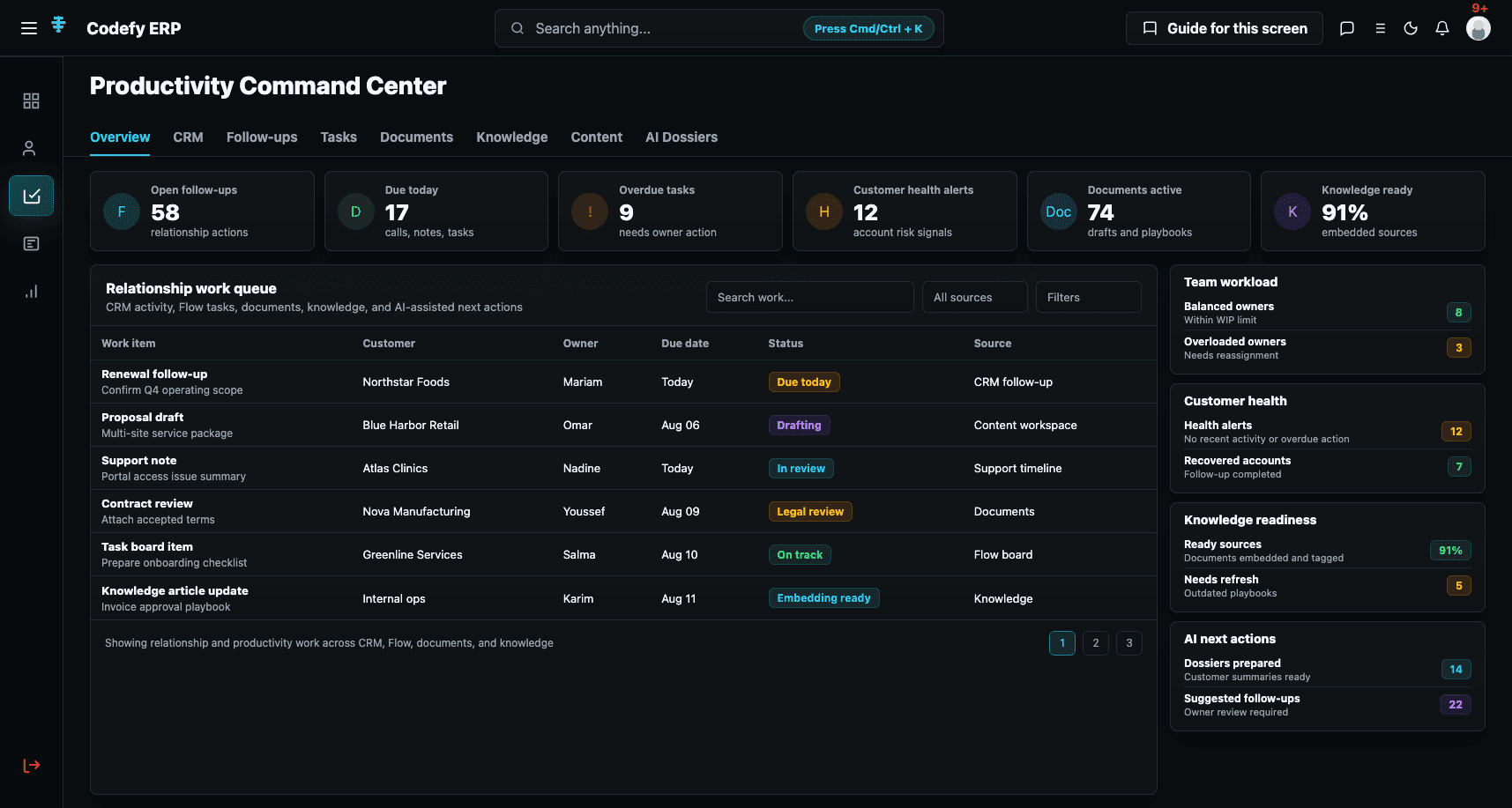
The module should show one command center for CRM and productivity signals, plus one work execution screen for follow-ups, tasks, documents, and knowledge.
Productivity command center
A unified command center for customer health, follow-ups, active tasks, team workload, documents, knowledge readiness, and productivity signals.
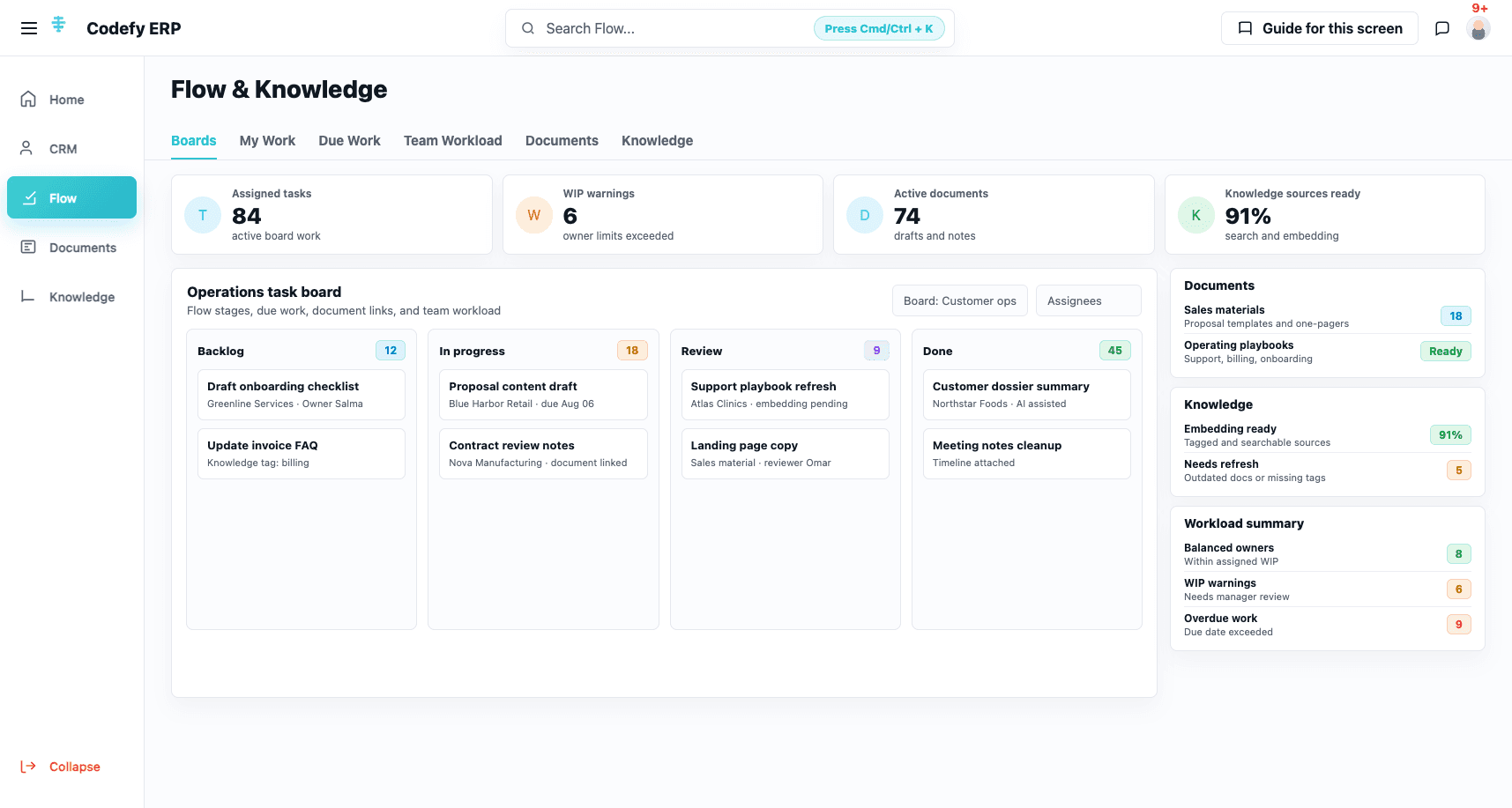
CRM and work execution
Teams can move from customer context into follow-ups, Flow boards, documents, notes, knowledge sources, content drafts, and AI-supported next actions.
Commercial Value
The module gives teams one place to manage CRM activity, follow-ups, Flow tasks, documents, knowledge, content drafts, and AI-assisted productivity around ERP records.
Teams keep relationship work connected to customer context instead of living across disconnected notes, reminders, chats, and spreadsheets.
Flow tasks give teams an execution layer for daily work, due items, assigned work, board stages, workload, and activity history.
The documents and knowledge layer becomes a reusable operating asset for staff, managers, support teams, and AI assistance.
Commercial teams can turn customer activity into accountable follow-ups, documents, sales materials, and measurable productivity signals.
We can review your CRM activity, customer follow-ups, task boards, documents, knowledge, content, and productivity workflows, then map the right Codefy ERP starting point.