Client account management
Manage client records, contacts, relationship stage, account health, priority, active projects, active routes, and buyer portal access from the seller workspace.



Codefy ERP Module
Give every client a controlled buyer portal while your team manages accounts, transportation, product, and service projects, approvals, invoices, and service proof from the same data.
Operating Chain
Client work becomes difficult when account records, project scope, participants, delivery proof, incidents, invoices, and approvals are split across disconnected tools. Codefy ERP keeps the seller workspace and buyer portal aligned.
Step 1
Create client
Step 2
Open project
Step 3
Define scope
Step 4
Add participants
Step 5
Deliver service
Step 6
Review proof
Step 7
Approve billing
Client Workflows
The module supports transportation operations without limiting every client relationship to transport. Product and service projects can sit beside routes, trips, riders, invoices, incidents, and buyer-side review.
Manage client records, contacts, relationship stage, account health, priority, active projects, active routes, and buyer portal access from the seller workspace.
Run transportation, product, and service projects with the right scope, status, participants, billing context, delivery details, and operational history.
Give clients a controlled branded portal for dashboard summaries, projects, routes, schedules, employees or participants, trips, fleet tracking, incidents, notifications, and invoices.
Support client-side service review with trip review, invoice approval, overdue visibility, controlled price visibility, payment review, incidents, and notifications.
Smart Logic
Codefy ERP separates internal workspace control from buyer-facing access. Client portal users see only the projects, prices, invoices, operations, incidents, and notifications they are allowed to see, while internal teams keep full account and project control.
Keep client account records useful for sales, operations, finance, and support instead of treating the client as only an invoice name.
Manage transport, product, and service projects from one project workspace while allowing each project type to carry its own operating context.
For transport projects, connect the client account to routes, schedules, employees or riders, seat assignments, on-demand bookings, trips, live tracking, fleet tracking, attendance, and incidents.
Support client work that is not transportation-only, including product items, service scope, delivery context, review states, pricing visibility, and invoice flow.
Give clients a controlled dashboard that summarizes operational attention, live work, upcoming activity, invoices, balances, notifications, and project footprint.
Handle the people connected to the client relationship without mixing buyer-side participants with internal tenant staff.
Screens
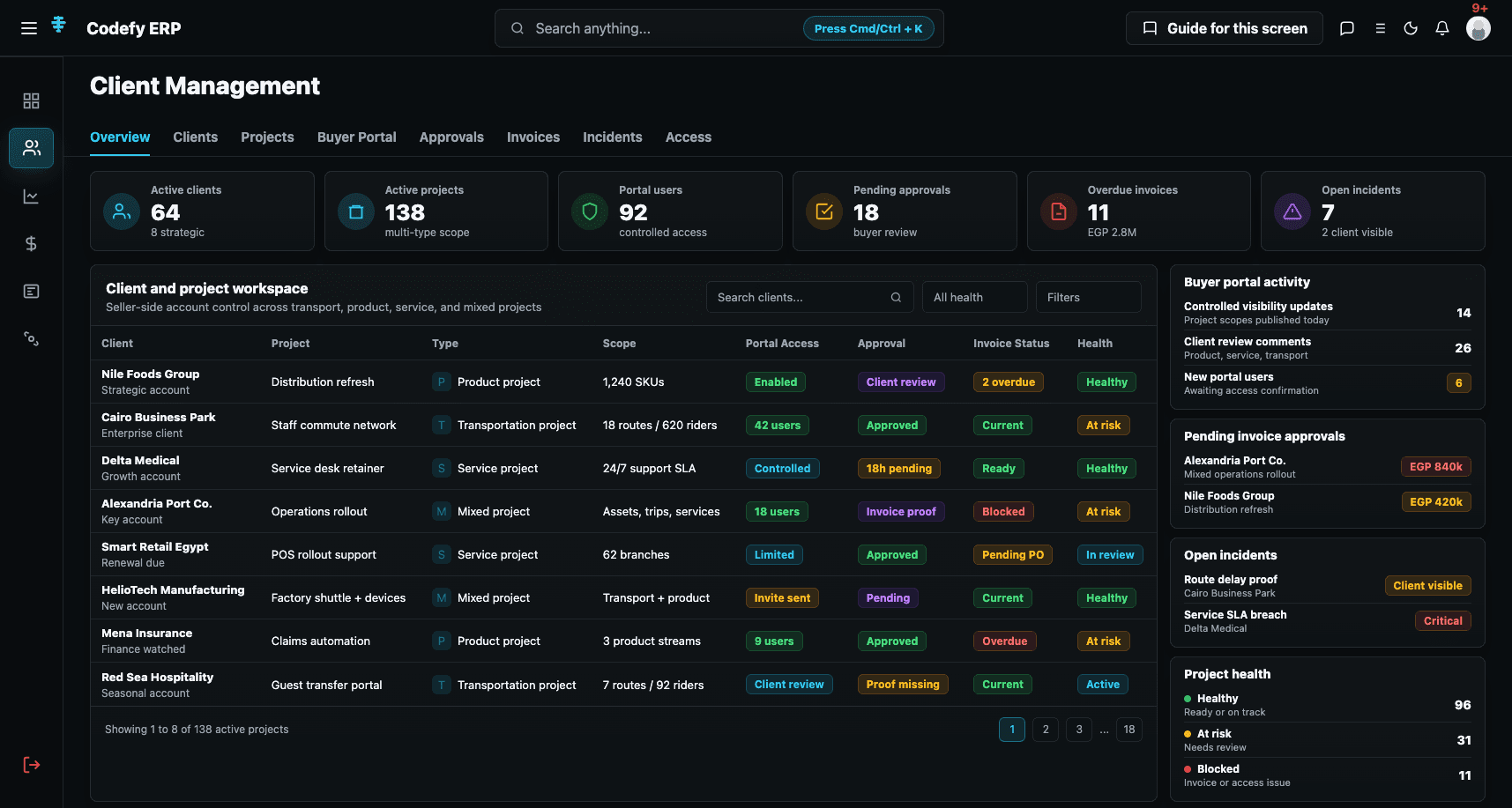
The module needs one internal workspace for account and project control, plus one buyer portal surface for controlled client-side review across transportation, products, services, invoices, incidents, and approvals.
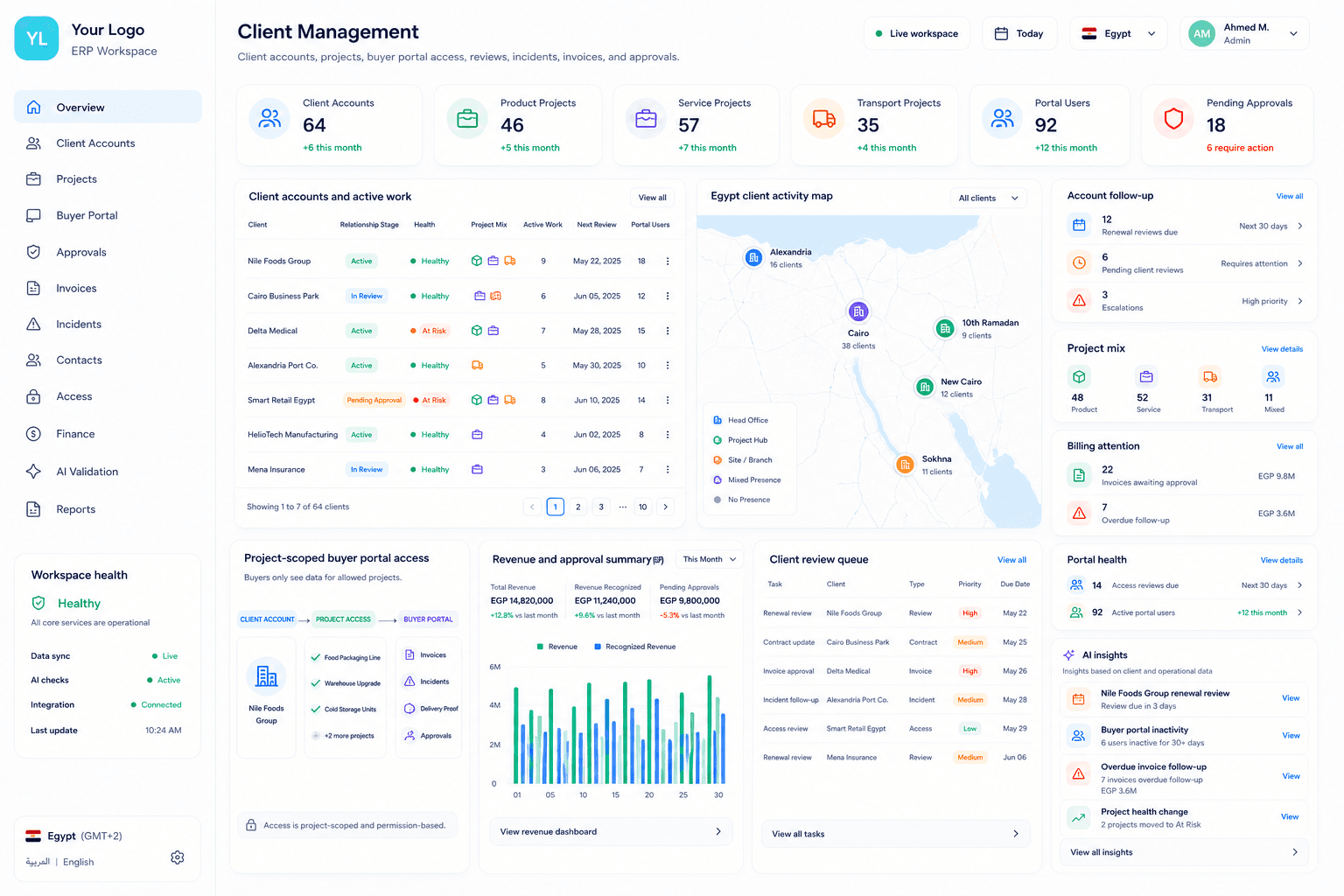
Client workspace
A seller-side workspace for client accounts, relationship health, active projects, transport scope, product/service context, portal access, incidents, and invoices.
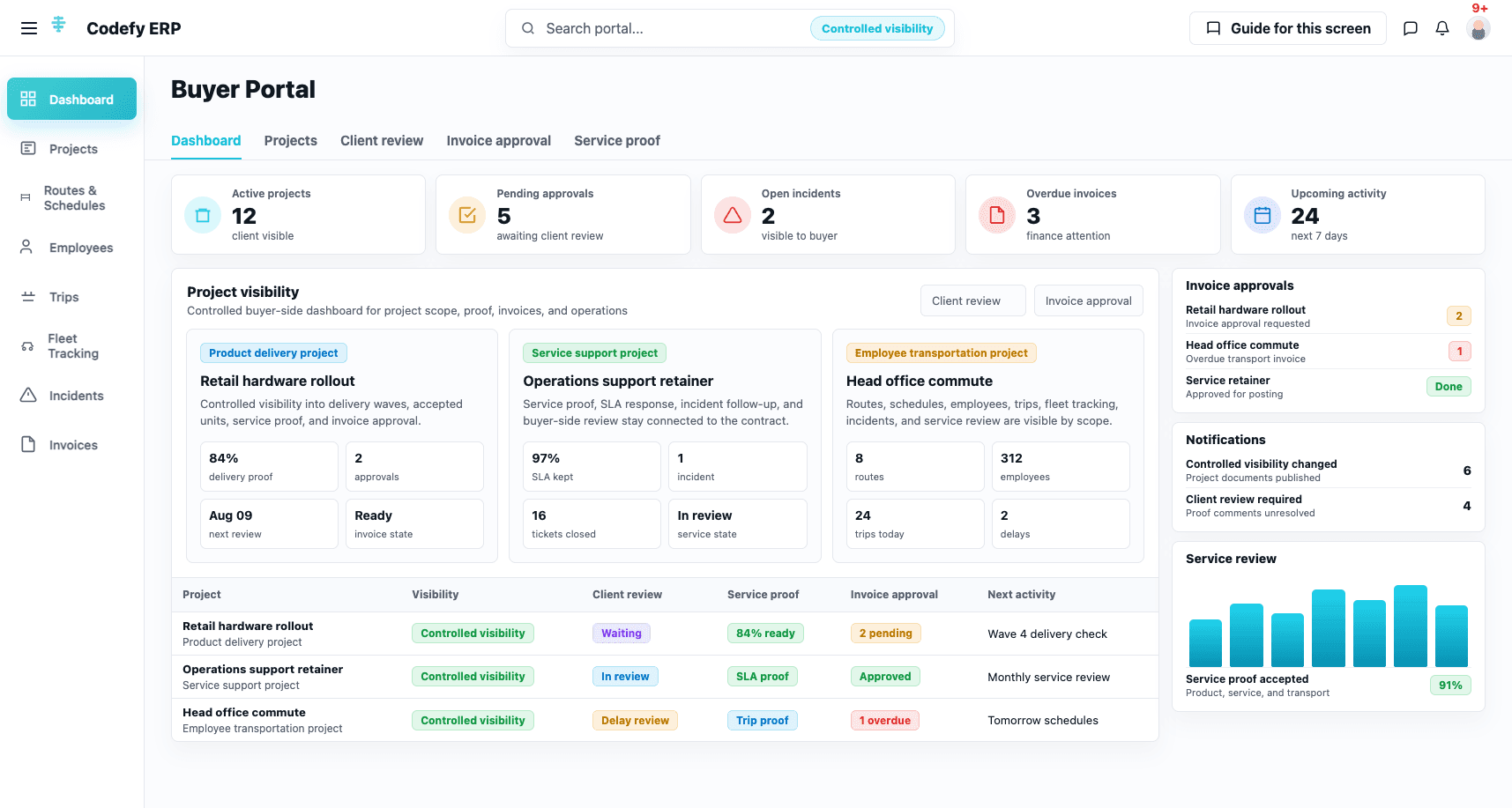
Buyer portal
Clients can review projects, routes, schedules, employees or participants, trips, fleet tracking, incidents, notifications, invoices, balances, and approvals from a controlled portal.
Commercial Value
The same client records support account management, transportation operations, product and service projects, participants, incidents, invoices, approvals, and portal access.
Commercial teams manage client relationships, health, follow-up, active projects, and portal access from one account foundation.
Operations teams can run transportation projects without losing routes, riders, seat assignments, trips, attendance, live tracking, fleet tracking, incidents, and service proof.
Delivery teams can keep product and service projects visible beside transport work, with scope, participants, review, pricing, invoice, and approval context.
Clients get a controlled buyer portal that exposes the right projects, operations, incidents, notifications, invoices, balances, and approvals without exposing internal ERP data.
We can review your client accounts, project types, buyer portal needs, participant records, operational proof, incident workflow, invoice approval, and access boundaries, then map the right Codefy ERP starting point.