Admin workspace
Run operations, finance, HR, procurement, clients, suppliers, reporting, and management from the back-office workspace.



Codefy ERP Module
Give office teams, clients, suppliers, drivers, supervisors, employees, riders, managers, and AI agents focused surfaces while the business keeps one source of truth.
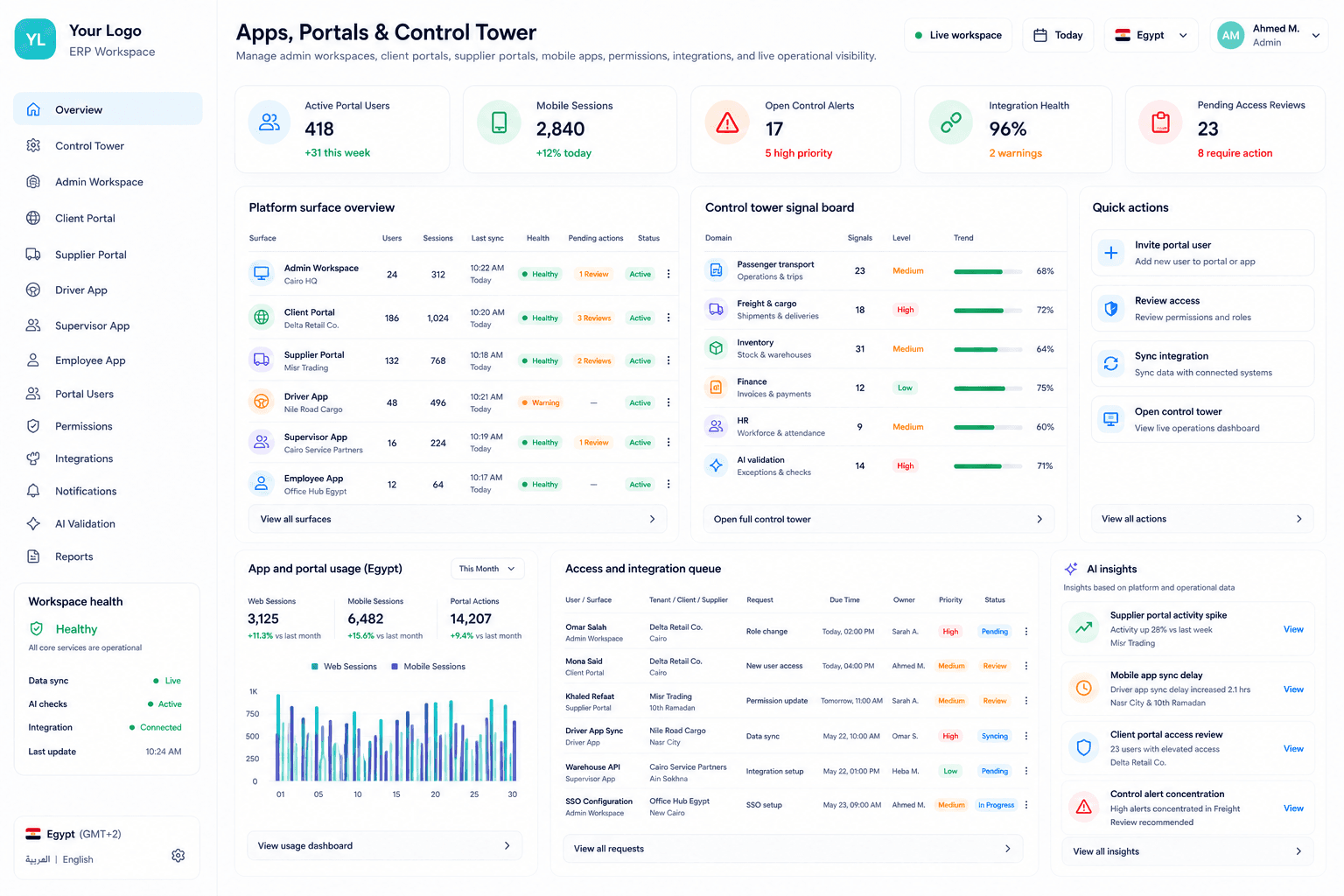
Experience Chain
Operational businesses need different surfaces for back office teams, buyers, suppliers, drivers, supervisors, riders, managers, and AI agents without duplicating data.
Step 1
Define roles
Step 2
Map surfaces
Step 3
Gate access
Step 4
Connect data
Step 5
Run field work
Step 6
Review signals
Step 7
Act with AI
Connected Surfaces
Run operations, finance, HR, procurement, clients, suppliers, reporting, and management from the back-office workspace.
Give partners controlled access to projects, shipments, trips, invoices, payables, documents, reviews, and updates.
Support drivers, supervisors, employees, and riders with focused trip, attendance, scanning, GPS, feedback, and exception workflows.
Bring live status, exceptions, readiness, summaries, reports, and governed AI assistance into management view.
Smart Logic
Each surface reads from the same business context but exposes only the records and fields that role should act on, especially for pricing, payroll, GPS, documents, and finance.
Give internal users the main operating workspace for clients, suppliers, operations, HR, finance, productivity, AI, and settings.
Give customers controlled visibility into projects, routes, shipments, employees, incidents, invoices, balances, and approvals.
Connect suppliers to assignments, pricing, statements, payment runs, advances, payables, and performance context.
Let field users execute trip, attendance, scanning, service confirmation, GPS, complaint, and feedback workflows from mobile apps.
Monitor readiness, live trips, assignments, attendance, incidents, GPS, compliance, suppliers, and financial follow-up.
Use AI agents for validation, reporting, summaries, import preparation, and guided actions with permissions and confirmation gates.
Screens
The page should make clear that Codefy ERP includes web, portal, mobile, control tower, and AI experiences connected to one operating model.
Experience map
The same ERP context supports office users, partners, field users, managers, and AI agents without exposing everything to everyone.
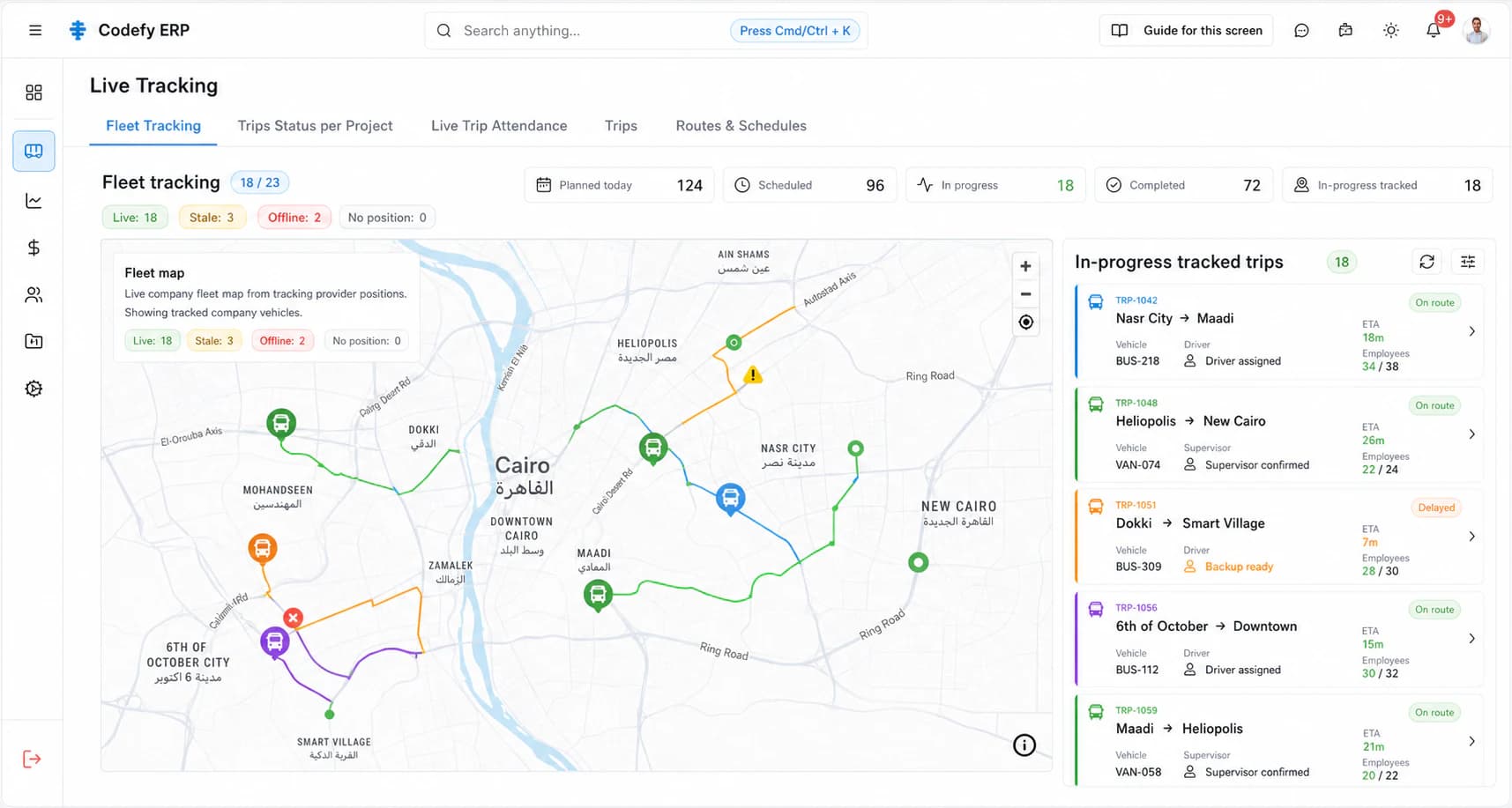
Control tower
Management can watch planning readiness, live execution, exceptions, attendance, compliance, and follow-up signals.
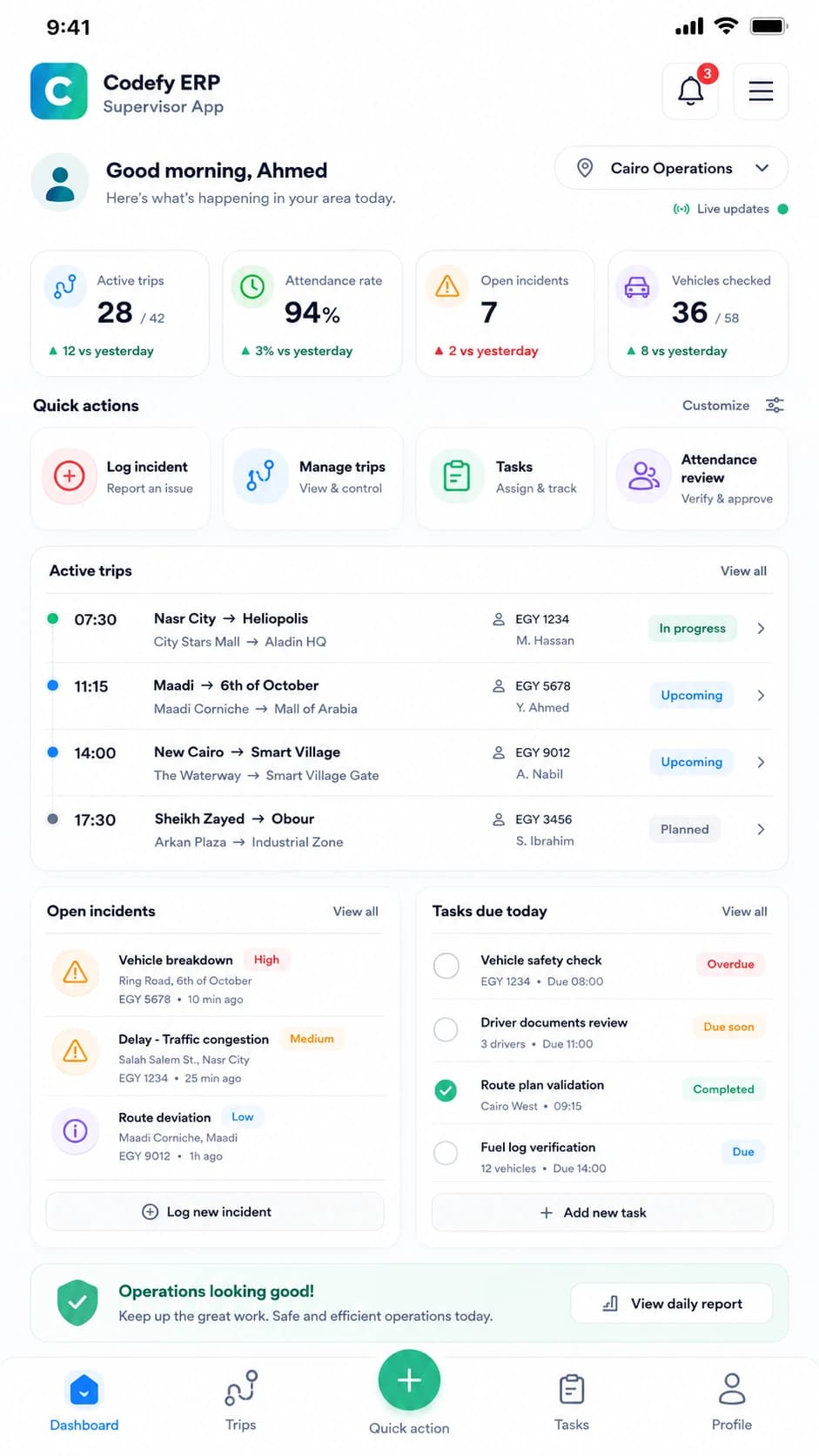
Supervisor app
Supervisors manage QR attendance, trip actions, vehicle scanning, incidents, and manager views from the field.
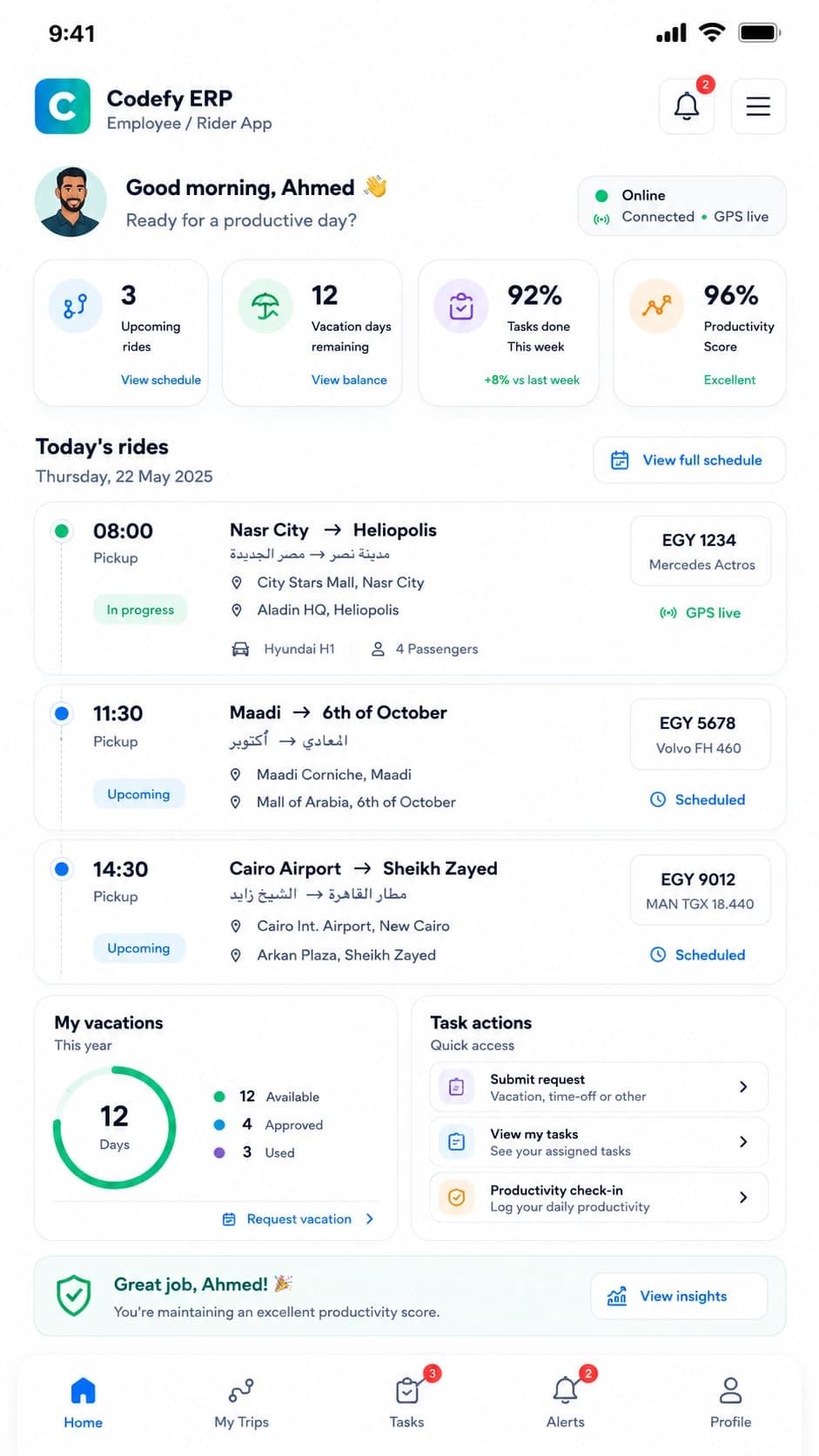
Employee app
Employees and riders can see assigned transportation, attendance context, service updates, history, and feedback.
Commercial Value
Connect web, portal, mobile, live control, and AI surfaces without duplicating operational data.
Every role works from a focused surface instead of navigating unrelated ERP screens.
Sensitive information stays governed by capability, role, tenant, app, and field boundaries.
Management sees live operating signals without asking every team for a separate status update.
AI agents can help inside approved context without bypassing review or confirmation.
We can review your back-office users, clients, suppliers, drivers, supervisors, employees, riders, control tower needs, and AI governance, then map the right experience set.