Internal AI workspace
Ask questions, summarize information, prepare documents, explore business context, and get guided help without leaving Codefy Hub.



Codefy ERP Module
Bring AI into the same workspace where your teams plan, prepare data, manage work, communicate, and make decisions. Codefy AI combines an internal AI workspace, custom agents, ready-to-use widgets, MCP, and ChatGPT integrations with the business context and permissions of Codefy Hub.
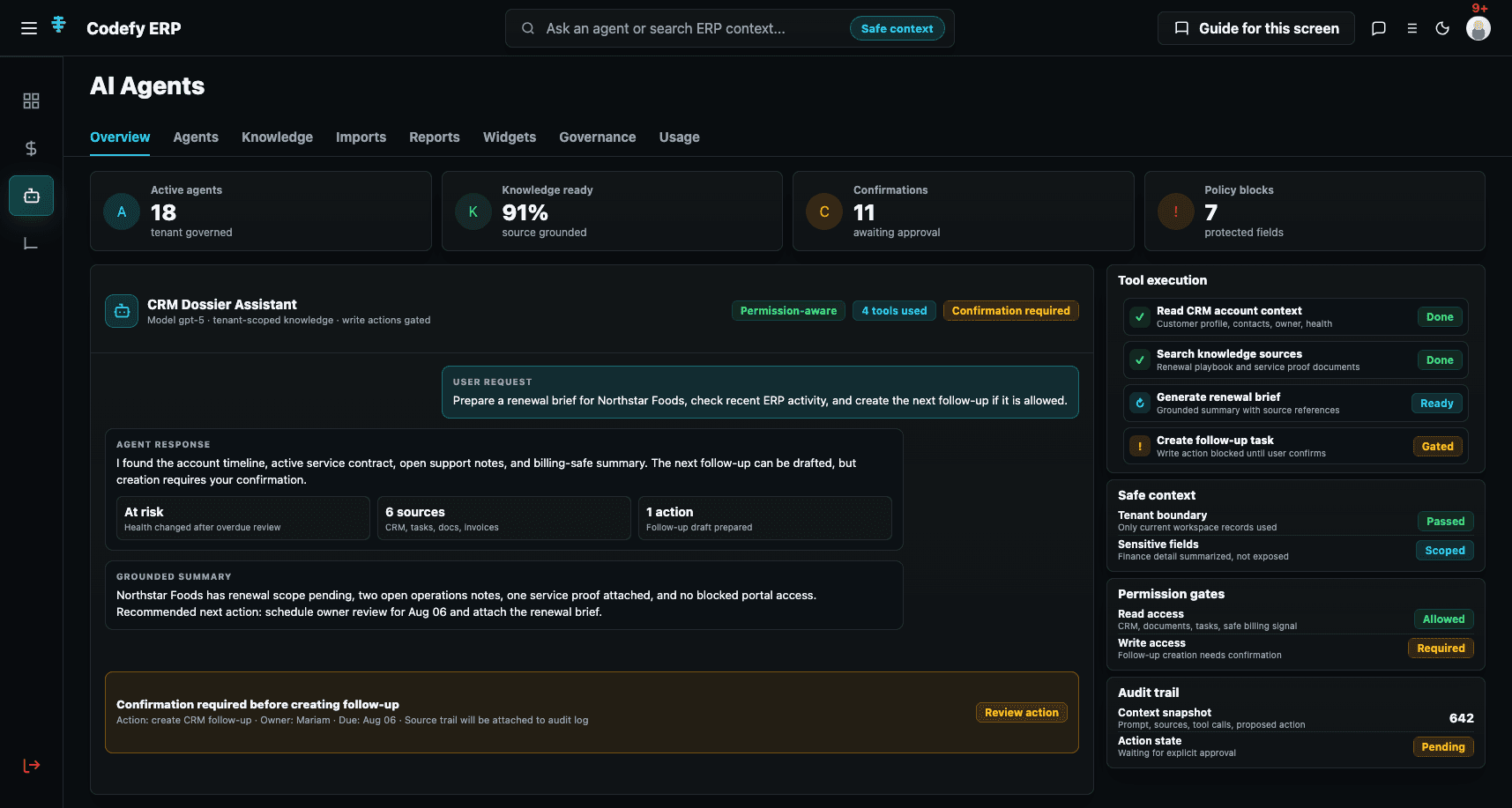
One AI Layer for Every Team
Codefy AI is not a single chatbot added to your ERP. It is a connected AI layer that supports different types of work, different levels of automation, and different ways of interacting with your business data.
Step 1
Choose a workspace or agent
Step 2
Bring in approved context
Step 3
Ground the work in knowledge
Step 4
Check access and scope
Step 5
Prepare the next step
Step 6
Confirm controlled actions
Step 7
Keep the outcome reviewable
AI Access Points
Start inside Codefy Hub, create focused assistants for your workflows, publish selected agents as widgets, or connect Codefy to the AI client your team already uses.
Ask questions, summarize information, prepare documents, explore business context, and get guided help without leaving Codefy Hub.
Create focused assistants for operations, finance, CRM, support, reporting, data preparation, management, and the workflows unique to your business.
Turn requirements into plans, review messy uploads, identify missing information, match business entities, and prepare records before creation.
Ask for approved business insights, prepare management-ready reports, recommend next steps, and request confirmation when a controlled action is needed.
Control Built Into the Experience
Codefy AI helps people work faster while respecting the boundaries of the business. User permissions remain above the AI layer, so agents only work with the context, records, tools, and actions that the user is allowed to access.
Turn questions into useful next steps with an everyday AI workspace connected to approved business context and operating knowledge.
Create assistants around the terminology, policies, processes, and priorities that make your business unique.
Help teams prepare better information before it enters the ERP or becomes someone else’s problem.
Keep the work around the transaction system moving with AI-assisted summaries, tasks, documents, briefs, handovers, and follow-ups.
Turn approved business information into operational summaries, comparisons, exception lists, and management-ready reports.
Use selected assistants wherever your users need them, from websites and portals to the AI clients your team already prefers.
Screens
Codefy AI gives administrators and team leads a clear view of how AI is being used across the business, from everyday assistance to controlled operational workflows.
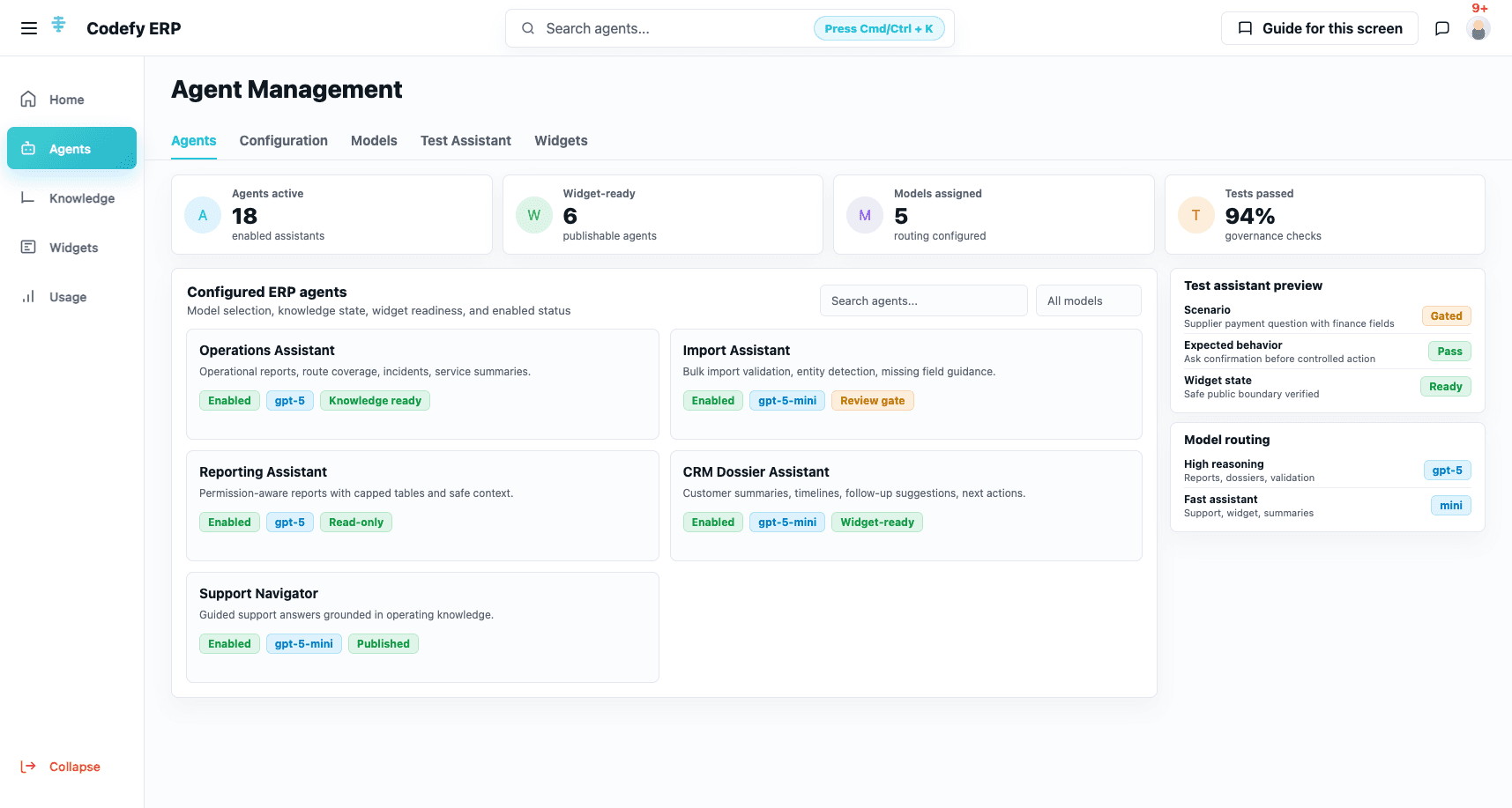
AI agent command center
Create and organize custom agents, connect approved knowledge, review readiness, manage widgets, and monitor usage from one workspace.
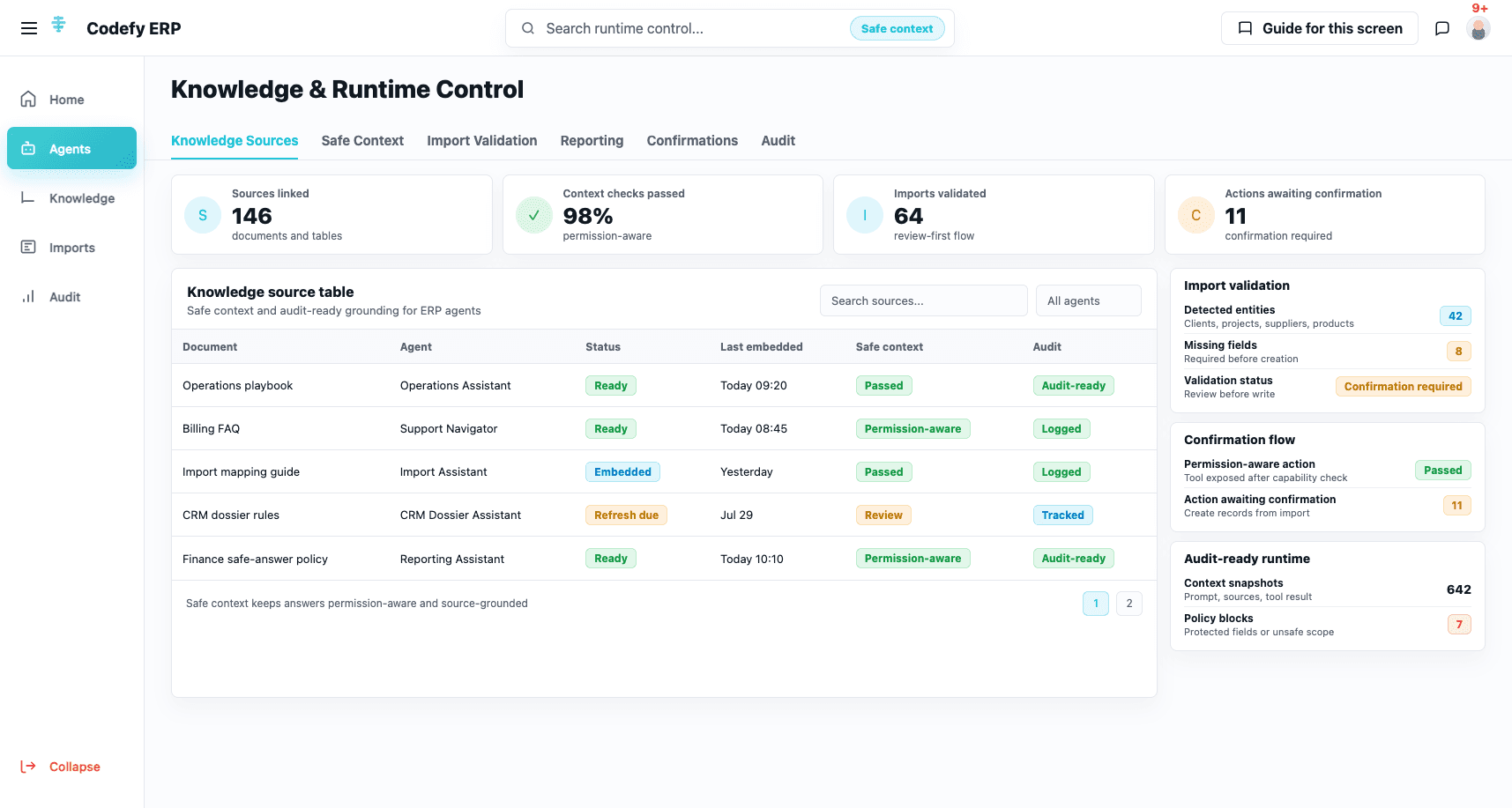
Knowledge and workflow control
Help users prepare imports, build reports, find information, and move toward the next action while permissions and confirmations remain visible.
Commercial Value
Codefy AI helps teams prepare, coordinate, communicate, and make decisions while user permissions, approvals, tenant boundaries, and accountability remain part of the operating model.
Make AI part of daily work across planning, preparation, communication, reporting, and coordination. Users can work with it without opening a separate chatbot.
Reduce manual preparation by cleaning, organizing, summarizing, and validating information before people spend time reviewing it.
Give every team a focused assistant while keeping business knowledge and workflows connected to the ERP context they already use.
Keep authority where it belongs: permissions, approvals, tenant boundaries, and accountability remain above the AI layer.
We can help you identify the best starting point: planning, data preparation, productivity, team collaboration, reporting, customer support, or a custom operational workflow.